MyMory

- Version
- 2.5.2
- Platforms
- Android
MyMory — Learn any list by playing
MyMory helps you remember any list by playing. A word and its translation, a country with its capital and flag, a chemical element with its symbol and atomic number, a date and its event, a times table, a letter in Morse code… Anything that fits in rows can be reviewed in MyMory, as a quick, timed quiz you can play in a few minutes.
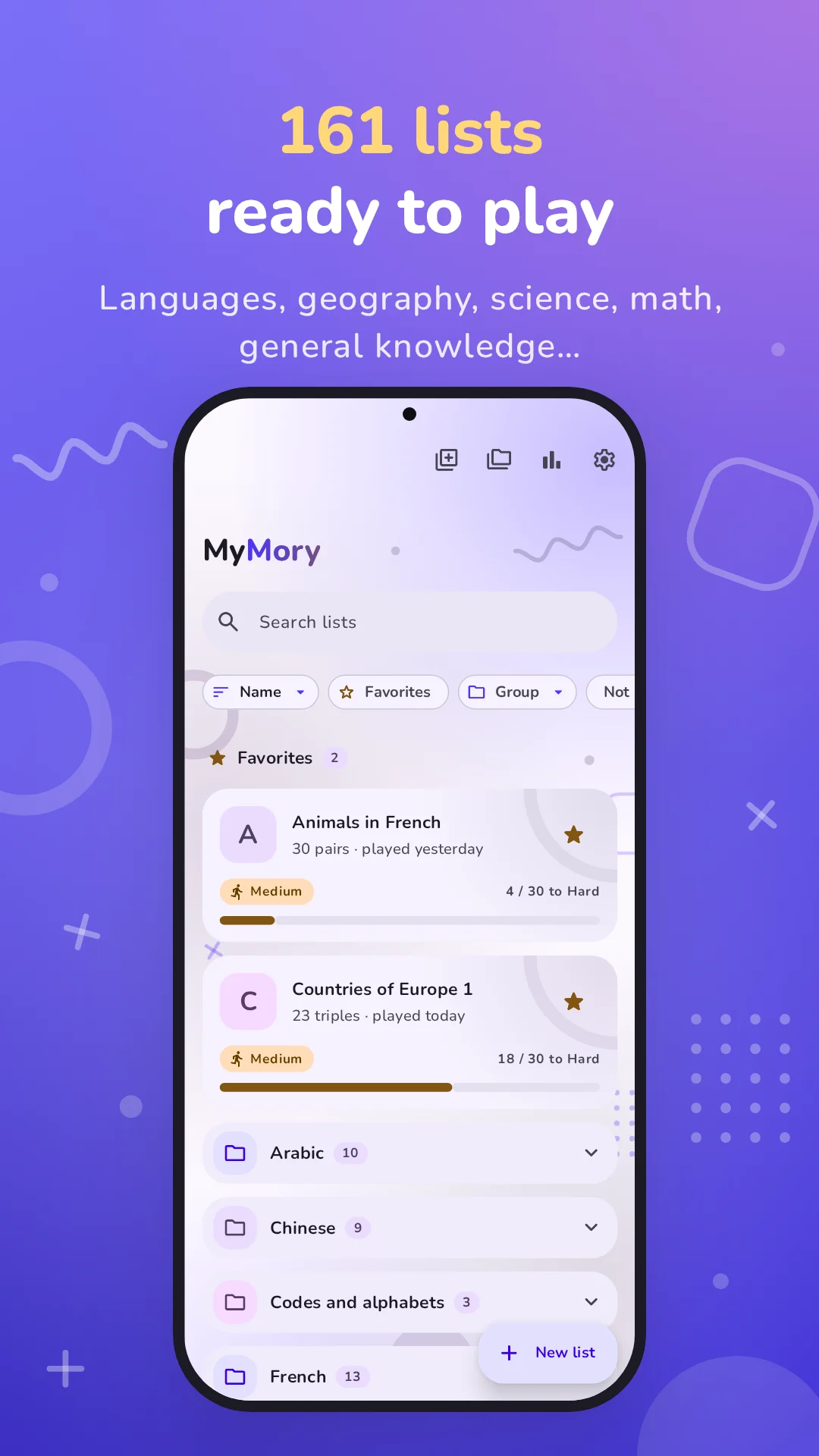
161 lists are waiting for you from the very first launch. You can also create your own, or import them from a spreadsheet.
At a glance
- 161 ready-to-play lists, sorted into 13 groups: languages, geography, science, mathematics, general knowledge, codes and alphabets.
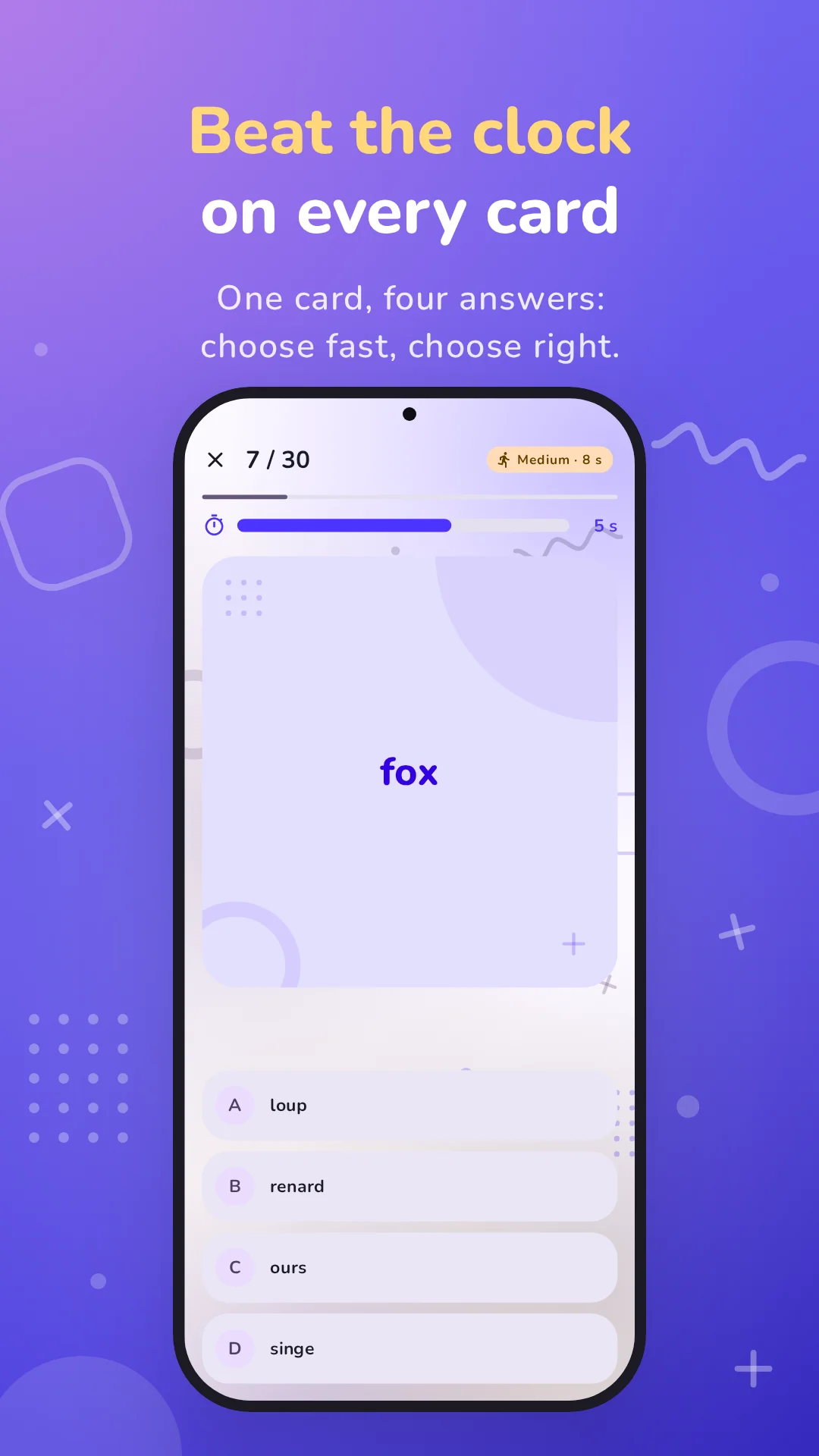
- A race against the clock: one card, four choices, one timer.
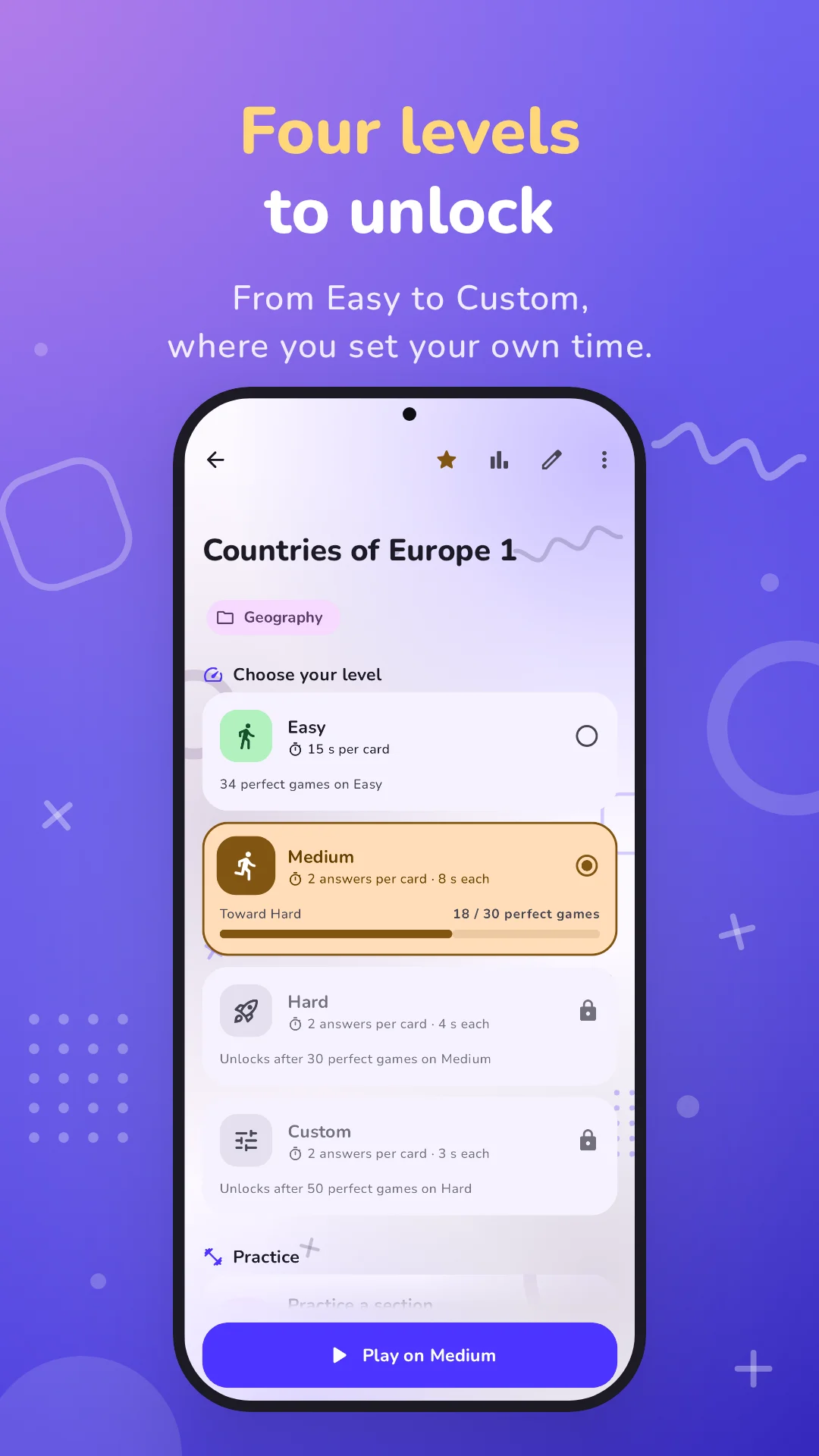
- Four levels to unlock: Easy, Medium, Hard, then Custom, where you set the time yourself.
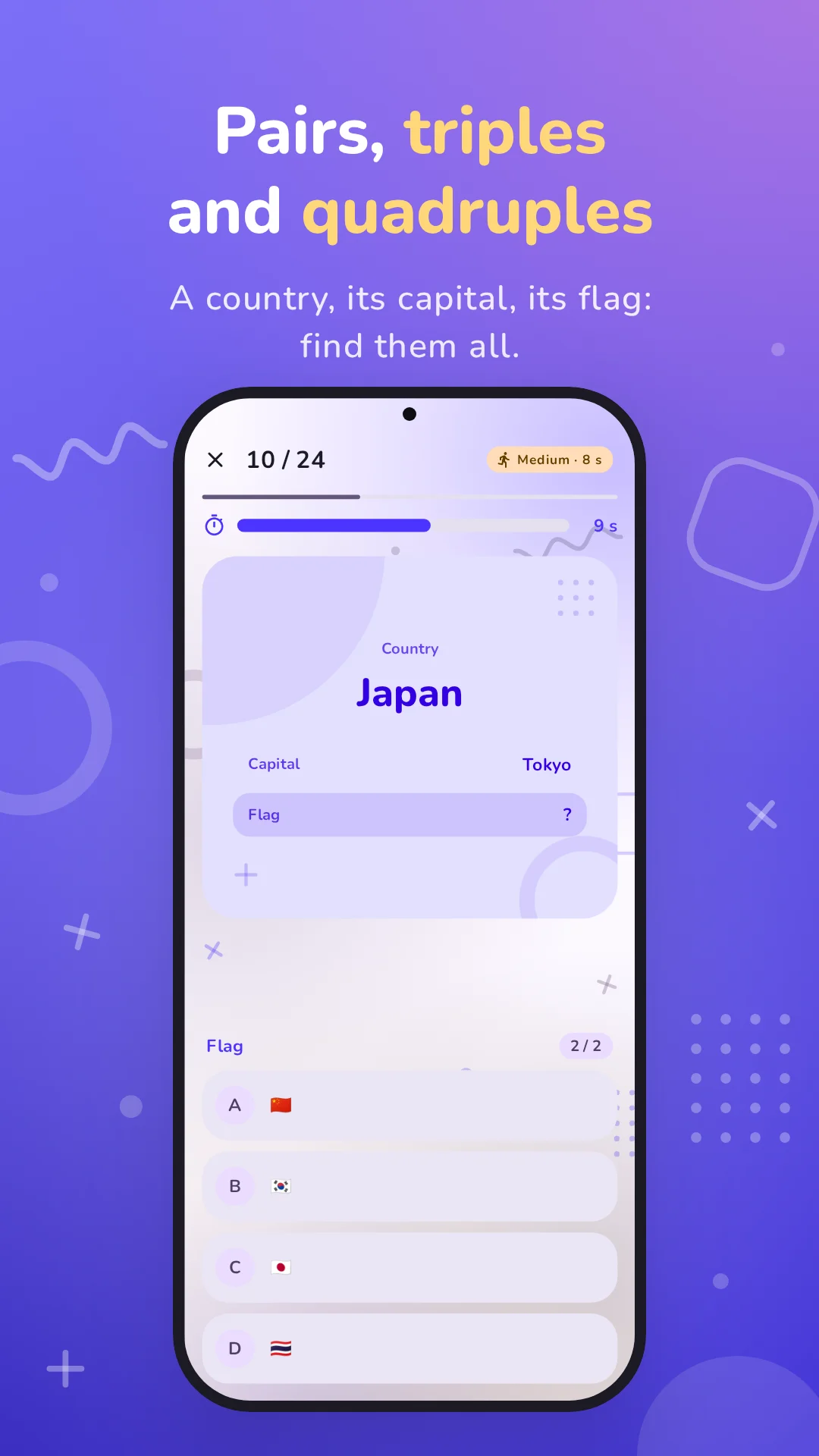
- Lists of 2, 3 or 4 items: pairs, triples and quadruples.
- Practice to work on part of a list before playing the whole thing.
- Your own lists, created in the app or imported from a CSV or Excel file.
- Detailed stats: progress, day streaks, and what you miss the most.
- Google Play Games achievements to unlock.
- No account: your lists, games and stats stay on your phone.
- In English and French, in light and dark themes.
- Free, with an unobtrusive ad after some games, or ad-free with a subscription.
Why MyMory?
Reading a list over and over isn't enough to remember it: you have to pull the answer out of your memory, again and again, until it comes on its own. That's what MyMory does.
- You answer, you don't just reread. Every card asks you to find the answer among four.
- Both ways. You review "France → Paris" as well as "Paris → France", the word as well as its translation.
- Against the clock. The timer makes you know the answer, not slowly guess it. The higher the level, the less time you get.
- Until it's perfect. A level only opens after perfect games, with no mistakes at all. By the time you reach the end, you really know the list.
- Bit by bit. Practice and stats show you where you get stuck, and let you work on it.
How a game works
- Pick a list and a level.
- A card appears with an item from the list, a country for example.
- Pick the right answer out of four before time runs out.
- Each line of the list comes up once, in random order, and in either direction.
- Tapping an answer moves straight to the next card, without saying whether it was right: you keep your momentum.
- If time runs out, the card counts as a mistake.
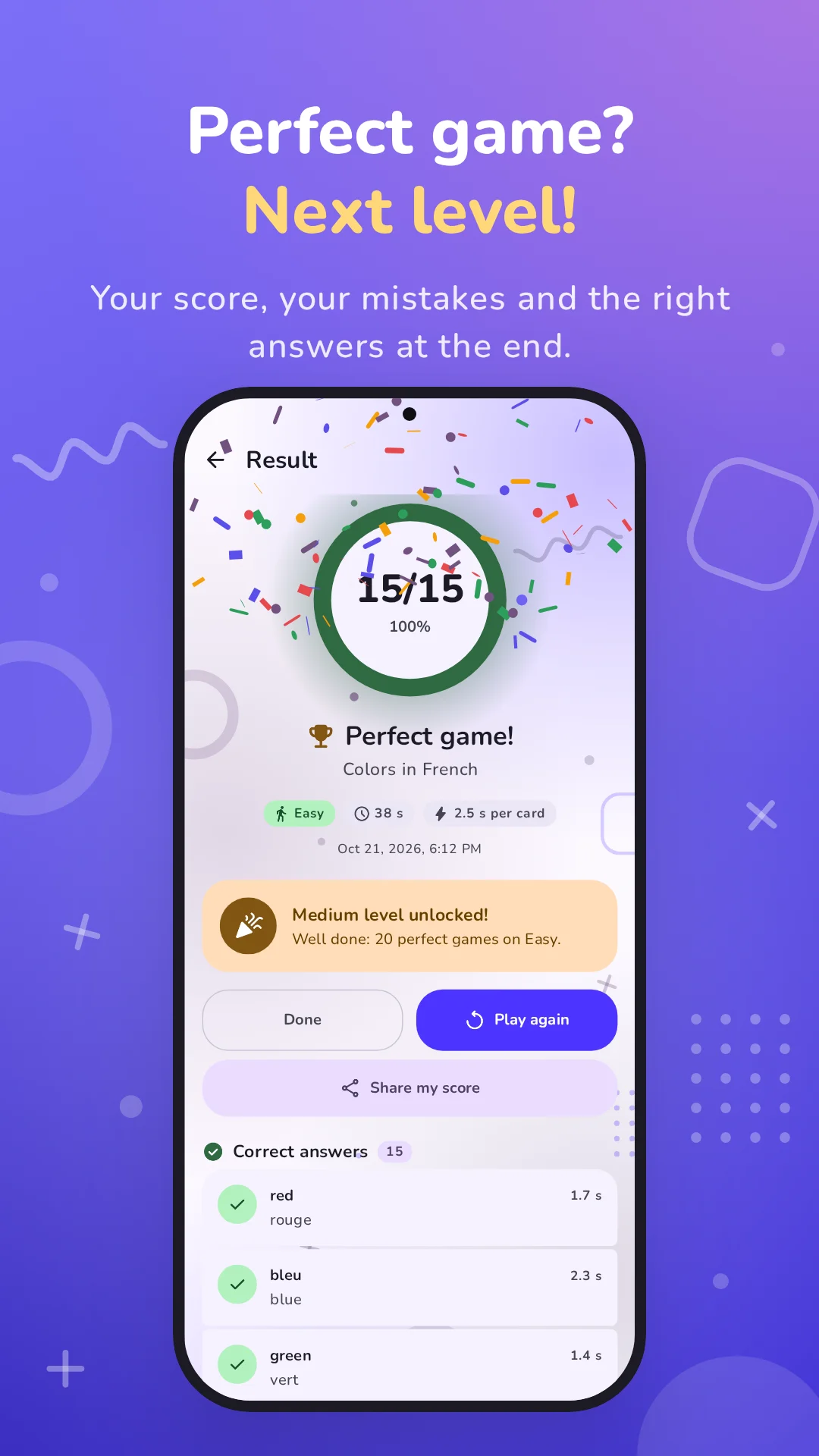
- At the end of the game, the result comes in: your score, each mistake with the right answer, and your time.
Good to know:
- If you leave the app during a game (a call, a message), the timer pauses and picks up again when you come back.
- A game you quit isn't saved and doesn't count.
Four levels to unlock
| Level | Time per answer | How to unlock it |
|---|---|---|
| Easy | 15 seconds | open from the start |
| Medium | 8 seconds | 20 perfect games on Easy |
| Hard | 4 seconds | 30 perfect games on Medium |
| Custom | 2 to 30 seconds, your choice | 50 perfect games on Hard |
- A perfect game is a game with no mistakes at all.
- Perfect games are counted for each list, and don't have to be in a row: a mistake doesn't reset the counter.
- Levels you've opened stay playable: you can always go back to Easy.
- Editing a list keeps its progress: adding a line doesn't make you start over.
- Custom is set for each list, on the list's screen: the time per answer (3 seconds to begin with) and, for triples and quadruples, the number of answers asked per card.
Each level has its own color and icon, which you'll find everywhere in the app: in the game, on your lists, in your stats.
Pairs, triples and quadruples
A list doesn't have to link just two things. In MyMory, each line can have 2, 3 or 4 items:
| Type | Example |
|---|---|
| Pair | cat → chat |
| Triple | Japan → Tokyo → 🇯🇵 |
| Triple | Hydrogen → H → 1 |
| Quadruple | Hydrogen → H → 1 → nonmetal |
With a triple or a quadruple, from Medium on, a card asks for several answers, one after the other, in column order: the "Japan" card asks for its capital, then its flag.
| Level | Pair | Triple | Quadruple |
|---|---|---|---|
| Easy | 1 answer | 1 answer | 1 answer |
| Medium | 1 answer | 2 answers | 2 answers |
| Hard | 1 answer | 2 answers | 3 answers |
| Custom | 1 answer | 1 or 2, your choice | 1 to 3, your choice |
- The timer grows to match: the level's time multiplied by the number of answers.
- A card is only right if all its answers are.
- MyMory adapts to the list's content on its own:
- an item that several lines share (the article der, the currency euro) is never shown as a question, since there would be no way to tell which line it means; it's only asked as an answer;
- a column with only three different values (der, die, das) is played with three choices instead of four;
- capital letters matter: m (milli) and M (mega) are two different answers.
The result
At the end of every game:
- your score, in a ring that turns green when the game is perfect;
- each mistake with the right answer, so you understand what slipped past you;
- your time;
- your progress toward the next level, and a celebration when you've earned it: the ring fills up, a trophy pops up, the icon of a newly opened level wiggles, and confetti greets every perfect game.
From the result, you can play again right away, finish, or share your score: MyMory makes an image in the app's colors, which you see before sending it, with a short message and the app's link.
Practice
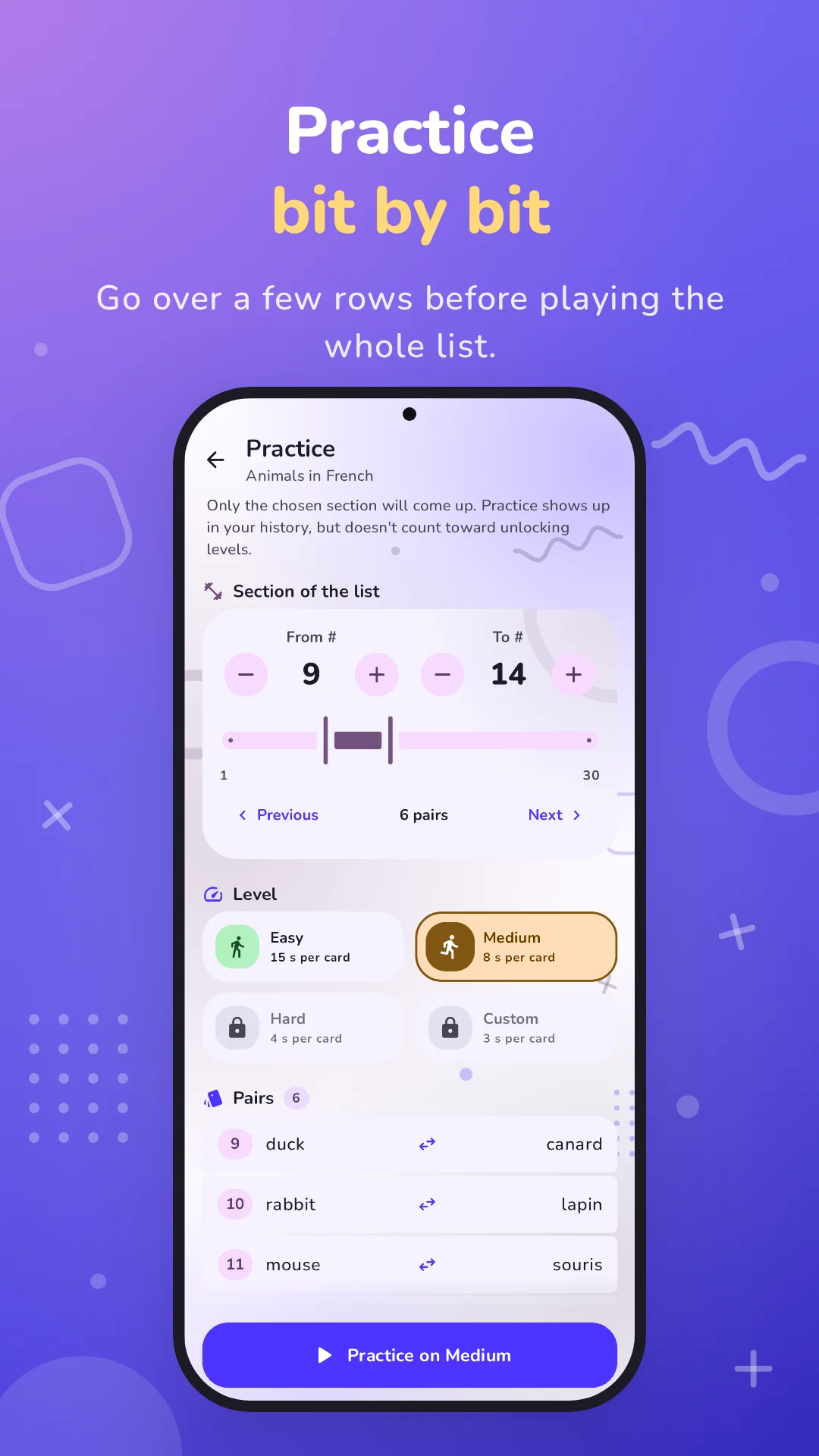
A 30-line list is a lot in one go. Practice lets you work on a section of it: lines 9 to 14, for example, the ones that give you trouble.
- You choose where the section starts and ends, and a level among those you've already opened.
- Practice plays like a game, with the same timer and the same result.
- It counts in your history and your stats, but not toward unlocking levels: to move up, you have to play the whole list.
Tip: a list's stats show the lines you miss the most. Practice on their section, then go back to the full list.
161 ready-to-play lists
On first launch, MyMory installs 161 lists, 3,711 lines in all, sorted into 13 groups, on its own, in a few moments.
| Group | Lists | What's inside |
|---|---|---|
| French | 13 | the 9 vocabulary themes, irregular verbs, false friends, idioms |
| Spanish | 9 | the 9 vocabulary themes |
| German | 13 | the 9 vocabulary themes, and nouns with their article and plural |
| Arabic | 10 | the 9 vocabulary themes with pronunciation, and the alphabet |
| Japanese | 12 | the 9 vocabulary themes with romaji, hiragana and katakana |
| Chinese | 9 | the 9 vocabulary themes with pinyin |
| Russian | 10 | the 9 vocabulary themes with pronunciation, and the Cyrillic alphabet |
| Multilingual | 9 | the 9 themes in English, French, Spanish and German at once |
| Geography | 30 | countries, capitals and flags of all 195 countries by continent, currencies, demonyms, calling codes, airport codes, US states, French departments and regions, highest peaks |
| Science | 10 | chemical elements, planets, units of measurement, unit prefixes, chemical formulas |
| Mathematics | 17 | times tables from 2 to 10, squares and cubes, powers of 2, Roman numerals, fractions, digits of pi, prime numbers |
| Codes and alphabets | 3 | Morse code, NATO alphabet, Greek alphabet |
| General knowledge | 16 | key dates in history, Greek and Roman gods, books, paintings, movies, composers, musical notes, zodiac signs, proverbs, quotes, animals, phobias |
The 9 vocabulary themes are the same in every language: numbers, colors, days and months, fruits and vegetables, animals, body parts, jobs, common verbs, travel phrases.
On a phone set to French, MyMory installs its 164 French lists instead, where English becomes one of the languages to learn.
These lists are yours: edit them, delete the ones you don't care about, star the others as favorites. If you change your mind, "Restore built-in lists", in Settings, brings back the missing ones, each in its group, without touching your other lists.
Your own lists
Create them in the app
The editor lets you write a list line by line: pairs, triples or quadruples, as you like, with a name for each column ("Country", "Capital", "Flag").
For a list to be playable, it needs at least 4 lines, and each line needs an item that belongs to it alone. If something is blocking, the list's screen tells you what.
Import them from a file
Already have your list in a spreadsheet? Import it.
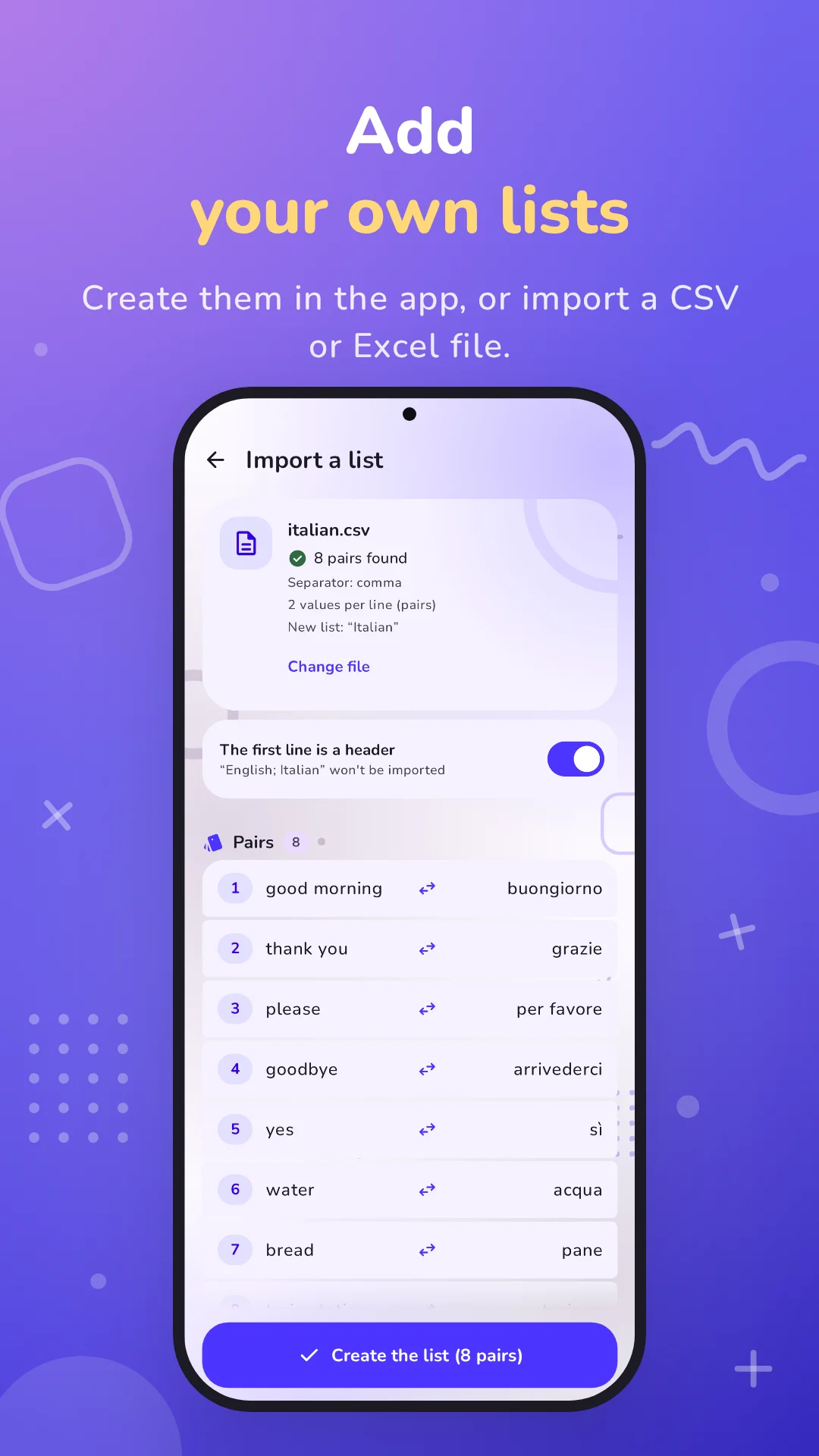
- Supported formats: CSV or TXT file, and Excel workbook (.xlsx, its first sheet). The file can come from your phone or from an online service.
- Separators: semicolon, comma or tab, detected automatically. A value that contains the separator goes in quotes.
- Header: if the first line holds the column names, a switch removes it from the list and keeps those names.
- Preview before importing: the number of lines found, whether they're pairs, triples or quadruples, and the skipped lines with the reason ("A value is missing").
- A template to download, saved to Downloads: open it in a spreadsheet, replace the examples with your list, and import it. You can be sure of the format.
From My lists, an imported file becomes a new list, named after the file. From the editor, its lines are added to the list you're editing.
Organize and find your lists
With dozens of lists, you need to find your way around. My lists gives you everything you need:
- Groups, like folders, that collapse and expand. You create them, rename them, put them in the order you want, and delete them (their lists stay).
- Tidy up in one move: a long press selects several lists to move them together, even into a new group created on the spot.
- Favorites, marked with a star and kept at the top.
- Search by name, without worrying about accents.
- Filters: favorites, group, list status (not started, practiced only, started), and highest level opened.
- Sorting: by name, by last game, by level reached or by date added. Names sort naturally: "2 times table" comes before "10 times table". Your sort order is remembered.
Stats to track your progress
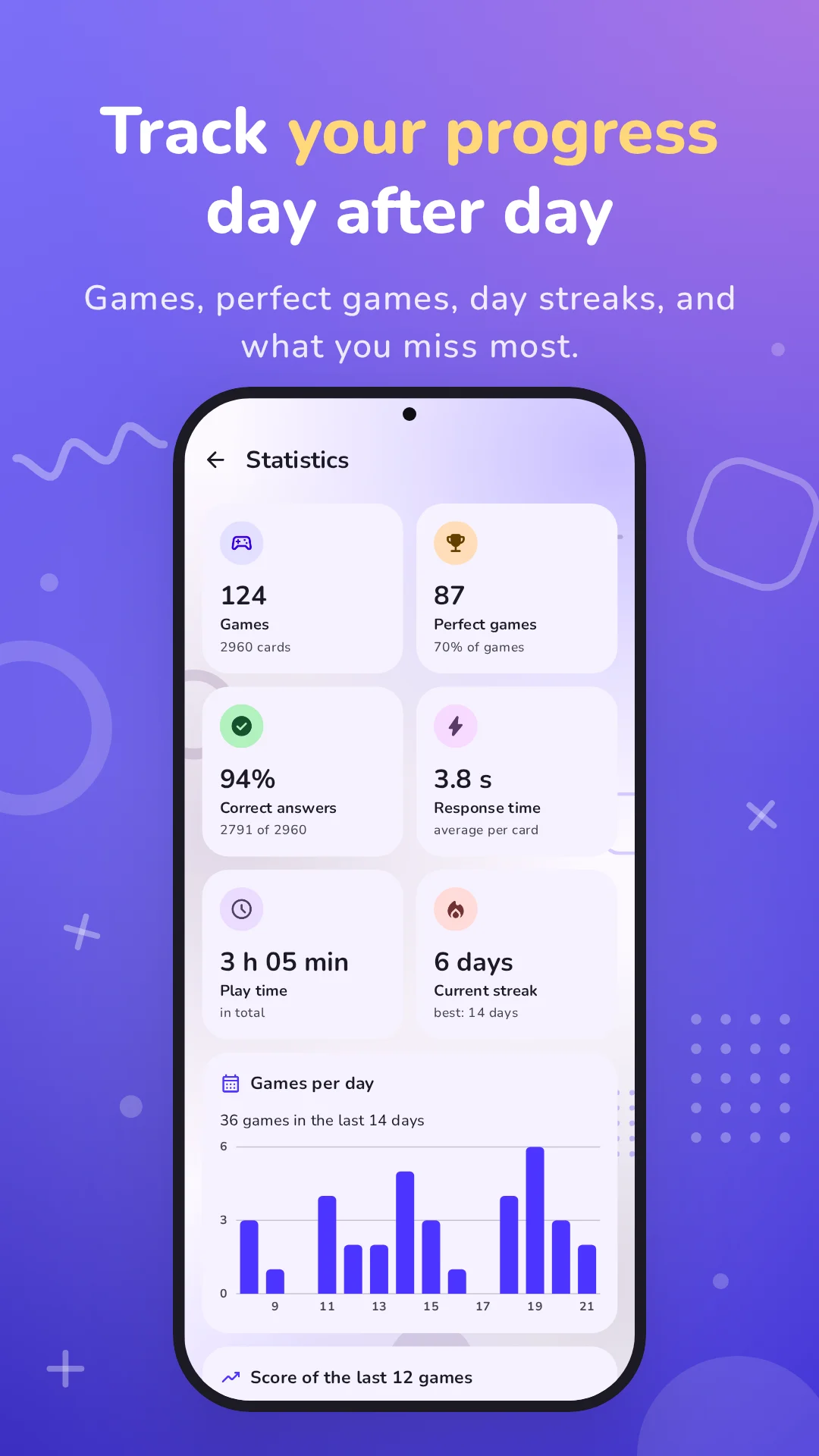
For all your lists at once, or for just one:
- Games played and number of cards;
- Perfect games, and their share of your games;
- Correct answers, as a count and a percentage;
- Average response time per card;
- Total play time;
- Current streak: the number of days in a row you've played, and your record;
- Charts: your games day by day, and the score of your latest games with your average;
- Your progress through the levels;
- The most missed lines of each list, with their number of mistakes and your average time;
- The history of your games and practice sessions, which you can review one by one, mistakes included.
Achievements to unlock
If Google Play Games is installed on your phone, MyMory signs you in at launch and offers you 13 achievements. The ones you've already earned unlock as soon as you first sign in. Without Google Play Games, the app works normally.
| Achievement | How to earn it |
|---|---|
| First steps | Finish your first game or practice. |
| Flawless | Play a whole list without a single mistake. |
| Regular | Finish 10 games, practice included. |
| Memory like an elephant | Finish 100 games, practice included. |
| Picking up the pace | Unlock Medium on a list. |
| Liftoff | Unlock Hard on a list. |
| Made to measure | Unlock Custom on a list. |
| Winning trio | Play a list of triples without a single mistake. |
| Four of a kind | Play a list of quadruples on Hard without a single mistake. |
| Your way | Create or import your first list. |
| Special delivery | Import a list from a CSV or Excel file. |
| Neat and tidy | Create a group to sort your lists. |
| Warm-up | Finish a practice on part of a list. |
You'll find your achievements in Settings, under "Achievements".
Share
- Share MyMory: from Settings or the About page, send the app to your friends through the messaging app or social network of your choice.
- Share your score: from a game's result, or when reviewing a game in your history, send the image of your result.
A lively app
MyMory doesn't look like a flashcard deck:
- an animated background that carries on from screen to screen: drifting, breathing glows of color, shapes that spin and ripple along the edges, small bubbles rising;
- colors for each level, tinting the game, your lists and your stats;
- a game that moves: the next card grows into place, answers come in one after another, the timer pulses near the end;
- screens that come alive: items cascading in, buttons that bounce under your finger, charts that draw themselves, confetti for perfect games;
- a light theme and a dark theme;
- a rounded, easy-to-read font, and crisp icons.
In English and French
MyMory speaks English and French, following your phone's language. From Android 13 on, you can also choose a language for MyMory alone, in your phone's settings; the "App language" row in Settings takes you there.
Numbers and dates are written the way your language writes them ("3.1 s" or "3,1 s"), and the lists installed on first launch are the ones in your language.
Help, always at hand
In Settings, "How to play" opens:
- a 6-page tutorial, illustrated and animated: the idea, the timer, the levels, triples and quadruples, practice, your lists;
- common questions: why the app doesn't tell you right away if you're right, what happens if you leave a game, how to import, how to progress faster, how to get back a deleted list, why a list can't be played, why there are ads, and where your data is saved.
Free, with an unobtrusive ad
MyMory is free. To keep it going, a full-screen ad shows up now and then when you leave a game's result:
- at most once every 3 games;
- never while you're playing;
- no banners: nothing eats into the screen while you play;
- content limited to a general, family audience.
In Europe, the United Kingdom and Switzerland, MyMory asks for your consent before any personalized ads, and you can change your mind at any time in Settings ("Privacy choices").
The "No ads" subscription
To never see an ad again, the "MyMory without ads" subscription is in Settings:
- monthly or yearly, the yearly plan costing less, with the discount shown;
- prices are Google Play's, in your currency;
- your lists and progress stay exactly the same;
- works on all your phones with the same Google account;
- cancel anytime from the Play Store.
As a subscriber, MyMory doesn't even start the ad service: no ads, no consent form. And it works offline too.
Your privacy
- No account, no server. MyMory doesn't ask for your name or your email address.
- Your data stays on your phone: lists, games, stats, settings. Android's backup can keep it for you, when it's turned on.
- An imported file is read on your phone and isn't sent anywhere.
- The app only connects to the Internet for Google services: ads, Google Play Games and the subscription.
- No access to your precise location, contacts, photos, microphone or camera.
- No data sold.
All the details are in the privacy policy, also online at https://eklipticsoft.com/mymory/policy.
Who is it for?
- Students: vocabulary, times tables, chemical elements, history dates, capitals… and their own study notes, imported from a spreadsheet.
- Language learners: seven languages, their alphabets, irregular verbs and false friends.
- Travelers: travel phrases, currencies, calling codes, airport codes.
- Quiz and trivia fans: flags, gods, paintings, movies, quotes, proverbs.
- Teachers and trainers: a list prepared in a spreadsheet imports in no time.
- Anyone with a list to learn: codes, technical terms, names, numbers. If it fits in rows, MyMory can help you learn it.
Common questions
Why doesn't the app tell me right away if I'm right? So you don't lose your rhythm: you go from card to card, and the game's result then shows each mistake with the right answer.
What happens if I leave the app during a game? The timer pauses and picks up again when you come back. If you quit the game, it isn't saved and doesn't count.
How do I import a list? Prepare it in a spreadsheet, one line per entry and one value per column, then tap the import icon at the top of My lists. The import screen offers a template to download, so you can be sure of the format.
How can I progress faster? Stay on Easy until you know the list well, then move up a level. A list's stats show the lines you miss the most: practice on their section.
I deleted a built-in list. How do I get it back? In Settings, "Restore built-in lists" puts it back in its group. Its history doesn't come back, though.
Why can't a list be played? It needs at least 4 lines. Each line also needs an item that belongs to it alone, or the card couldn't tell which line it is. The list's screen says what's blocking.
Do I need an Internet connection to play? No. Your lists and games are on your phone. The Internet is only used for ads, Google Play Games and the subscription.
Are my lists and games saved? Everything stays on your phone, with no account and no server. Android's backup keeps them too, when it's turned on.
Preview
Highlights
Create your own lists
Write a list line by line in the editor: pairs, triples or quadruples, with a name for each column. From 4 lines on, it's playable; if something is blocking, the list's screen tells you what. Editing a list keeps its progress.
161 ready-to-play lists
On first launch, MyMory installs 161 lists sorted into 13 groups: vocabulary in French, Spanish, German, Arabic, Japanese, Chinese and Russian, and in 4 languages at once; geography; science; mathematics; general knowledge; codes and alphabets. They're yours: edit them, delete the ones you don't need, and bring them back anytime from Settings.
Achievements to unlock
13 achievements to unlock with Google Play Games: your first perfect game, Hard unlocked, 100 games finished, a list of quadruples on Hard without a single mistake… The ones you've already earned unlock as soon as you first sign in.